WARDOGS Stuck Can't Move: In-Match Movement Freeze Fix Ladder
Fix the WARDOGS movement freeze: WASD dead after leaving a helicopter, stuck walking input, downed-state lock. Dated patch record plus the one verified recovery.
FAQ
Why can't I move after exiting a helicopter in WARDOGS?
Is the WARDOGS can't-move bug fixed yet?
How do I fix being stuck in downed mode with give-up greyed out?
My character keeps walking in one direction — stuck key or bug?
You bailed out of a helicopter, landed, and your soldier is a statue: WASD does nothing, you cannot open chat, but the mouse still turns the camera. Or your character keeps walking into a wall long after you let go of the key. Or you are lying there downed, the give-up button greyed out, while a revive icon shows for a medic who does not exist. These are three different bugs that share one symptom — you are in a match and you cannot move. This page separates them, then works the fixes in order, cheapest first.
Scope before you start: this page owns in-match movement and input freezes only — the game loaded, you deployed, and your controls died mid-match.
- The game never reaches a stable menu, or hangs on Joining Server → loading screen and login freeze fixes.
- You cannot get into a match at all — queue stuck, server browser, disconnects → connection and server troubleshooting.
- The game moves but stutters and drops frames → low FPS and stuttering guide.
- Note the trap in the search results: “queue not moving” is a server-queue problem (the second bullet above), not a movement bug. Wrong page for it, and this page will not fix it.
Three Freezes, Three Different Bugs
Match your screen to a row before touching anything. The recovery differs per row, and only one row has a workaround the developers have acknowledged.
| Symptom | What still works | Status |
|---|---|---|
| A — Vehicle dismount lock | After leaving a helicopter: WASD dead, chat will not open — but jump, look, inventory, map and Escape menu respond; no respawn option exists | Verified report — Steam “Report a Problem” thread, 24 Sep 2026; Team17 Support escalated to the team |
| B — Stuck directional input | Your character keeps walking one direction after you release the keys, or input lags one action behind | Community-reported — Season 1 bug megathread on r/WarDogs and related input threads |
| C — Downed-state lock | You are downed: give-up greyed out, a reviver icon shows with nobody near, revive loop or instant re-down | Verified report — Steam discussion, 11–12 Sep 2026; Developer: collision pinning is “a known issue that we’re tackling” |
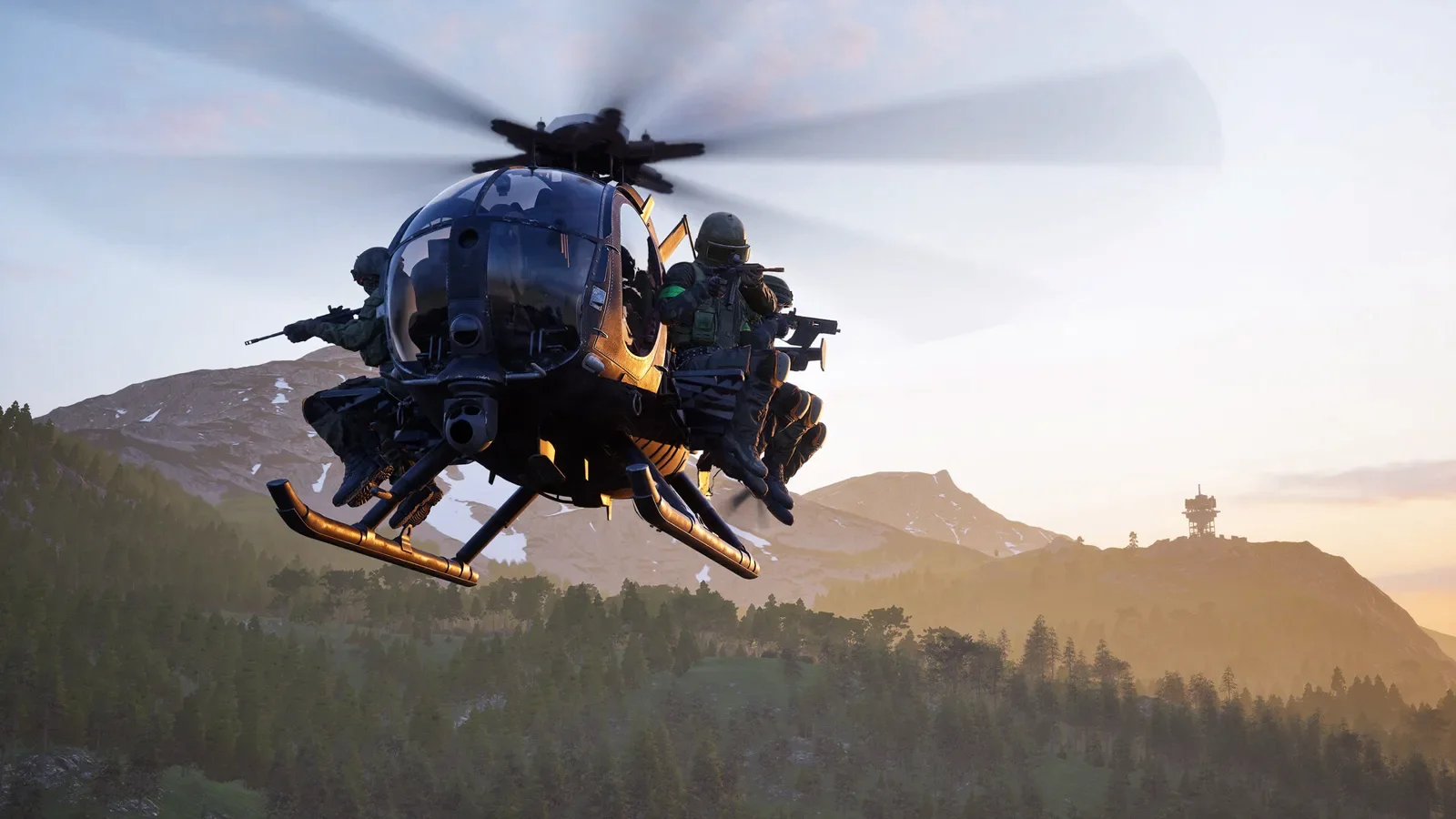 The exit is where bug A lives. If you fly often, our helicopter walkthrough covers the controls themselves — this page covers the moment they die.
First: the Ten-Second Diagnostic Split
Bug A’s verified report doubles as a diagnostic. One player described it precisely: after jumping out of a helicopter, “WASD did nothing, I could not open chat, but I could jump, look around, open the inventory, map, Escape menu.” That split tells you where the fault lives:
- Jump, look and menus still work, movement keys do not → the game has lost track of your character’s movement state. That is bug A or B — a server-side pawn problem. No Windows setting will fix it. Go to Ladder 1.
- Nothing responds — no jump, no look, no menus → the input chain itself is dead: a lost-focus window, a sleeping wireless controller or a second device holding capture. Go to Ladder 4.
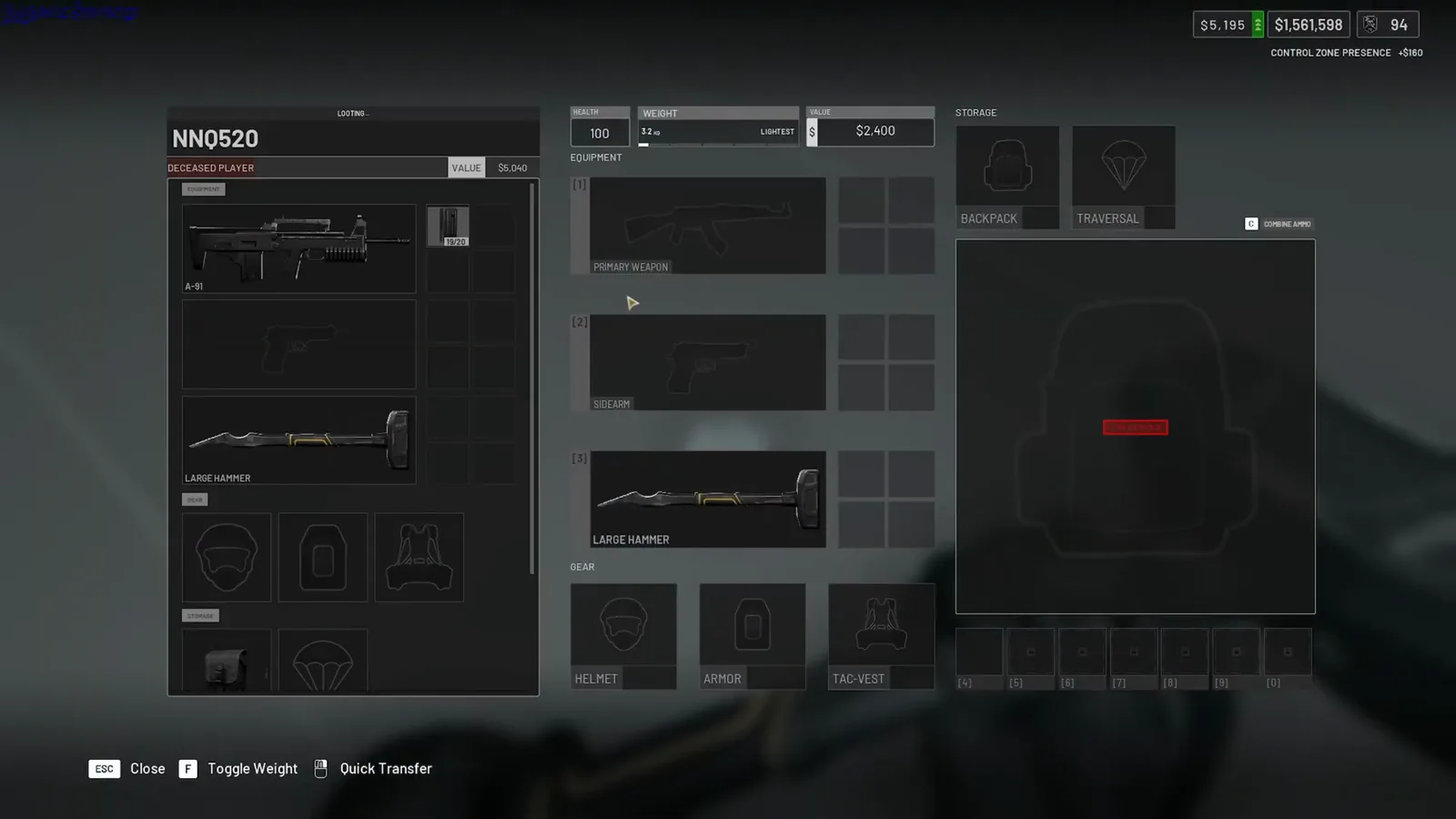 The half of the diagnostic split that survives the dismount bug: inventory and loot menus keep working while this room the player got off the vehicle into has no doors. The same “menus respond, movement doesn’t” split that identifies bug A after a helicopter exit. Source: GogetaSuperx, YouTube.
Do not skip this test. Most “I fixed the freeze” advice on forums swaps these two cases and sends you reinstalling a game whose files are fine.
Fix Ladder 1: Leave and Rejoin — the Only Verified Recovery
For the dismount lock, the honest record is short: in the verified report the player “gave up trying to fix it since there was no way to respawn, so I joined another game” — and that is still the only recovery anyone has demonstrated.
- Open the Escape menu (it still works in the verified state) and quit to the server list.
- Join a different server — not a rejoin of the same one; the original reporter’s fix was joining another game outright.
- If your next match also starts frozen, do a full game restart before requeueing: close WARDOGS from Task Manager if it lingers, then relaunch through Steam (community-reported — clears stale input state between sessions).
- Back at the menu, take ten seconds on our connection and server troubleshooting page if the rejoin itself fails — that is a different fault.
Fix Ladder 2: Unstick Directional Input
When the character walks without you (community-reported throughout — this variant lives in the Season 1 bug megathread, not in any official channel):
- Rule out the keyboard first. Tap each movement key firmly a few times; a crumb or a worn switch can hold a key down at the hardware level while the game keeps walking.
- Unplug or power off every second input device — a controller on a shelf, a HOTAS throttle, a racing wheel. The game blends axes across devices (an official changelog line about helicopter input damping applying “to every input device” confirms multi-device input is real), and a drifting stick on an idle controller walks your soldier for you.
- Test with the on-screen keyboard (Windows: Settings → Accessibility → Keyboard) tapping WASD with the mouse. If the on-screen keys move your character but the physical ones do not, the fault is the keyboard, not the game.
- Restart the match — not just the round. If the walk persists into a fresh session with one keyboard and no second device, stop; that is a report, not a setting (see the last section).
Fix Ladder 3: Escaping the Downed-State Lock
The verified reports here are the strangest: a downed player sees “some one reviving me but nobody around”, the give-up button stays greyed out, and the loop repeats until the match ends. What is known and what works:
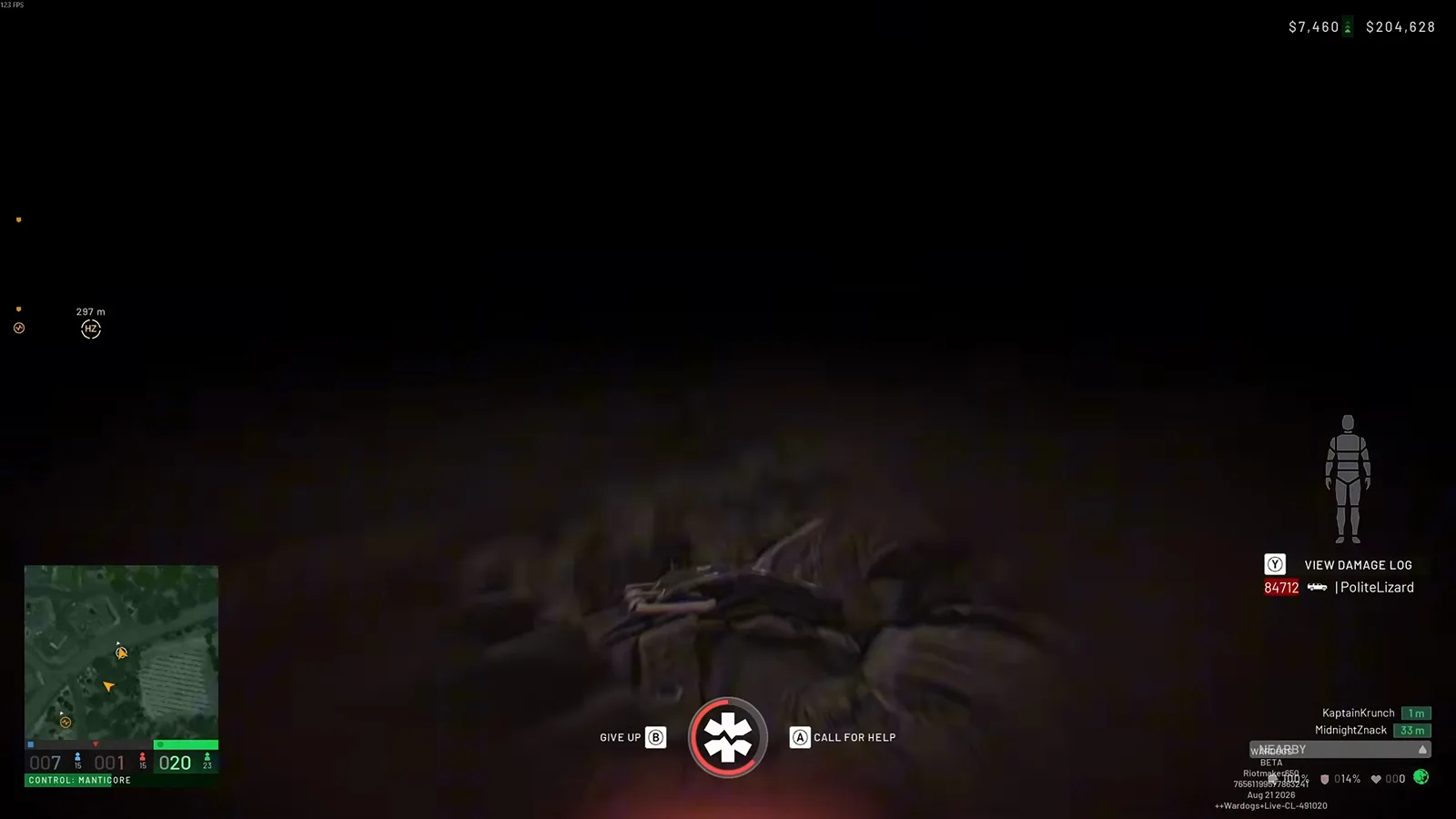 Bug C’s home screen: the downed bar with GIVE UP (B) and CALL FOR HELP (A). This body is wedged into the ground — the collision pinning a badged developer called “a known issue that we’re tackling” on 12 September 2026. Source: Riotmaker650, YouTube.
- Get a teammate to interact with your body. One verified account: a medic revived a pinned player twice, moved him a bit — “his big toe was stuck in a crate” — and the third attempt worked. The interaction menu that does this is on our medic and revive walkthrough.
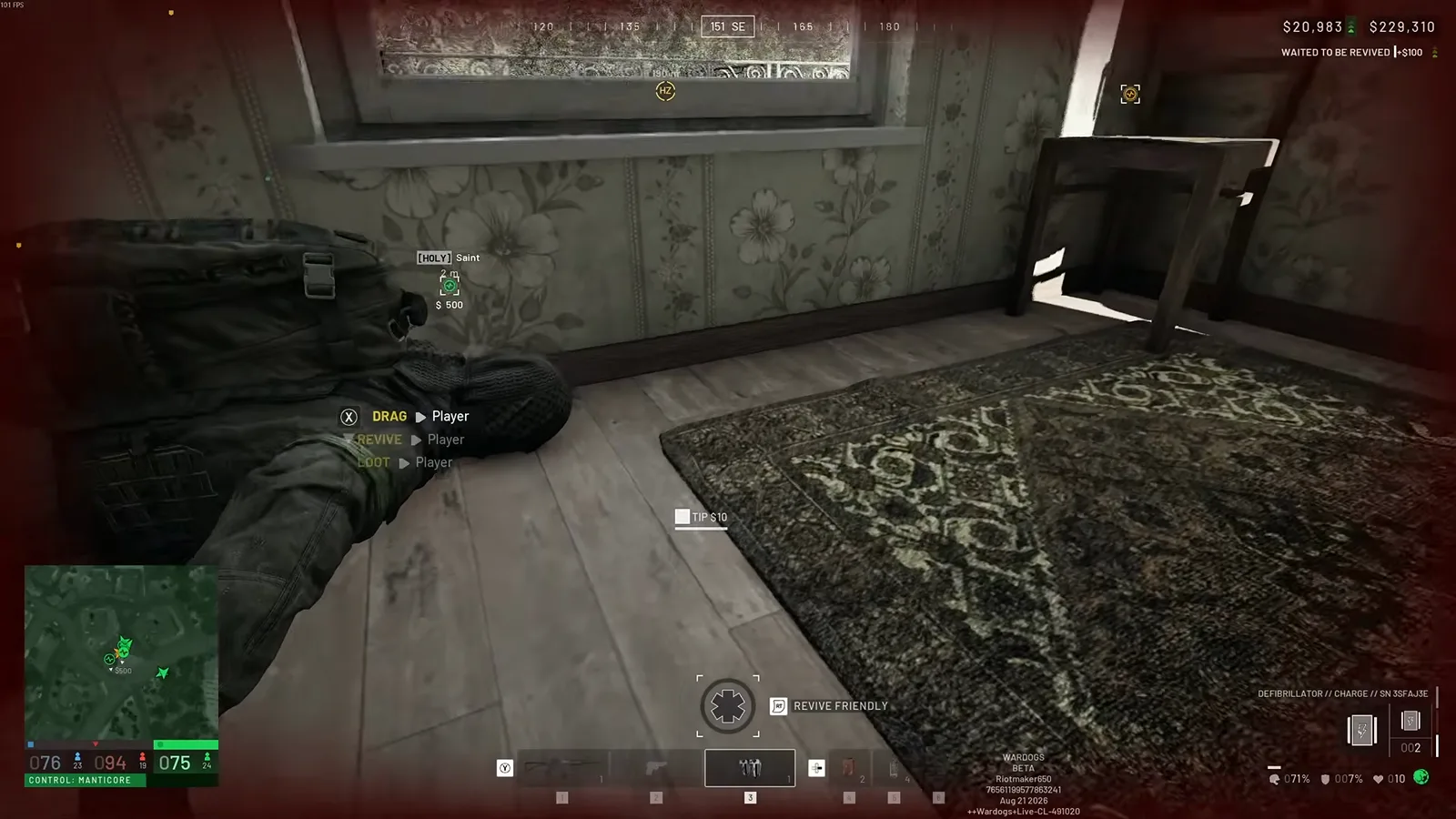 Drag and revive live in this menu. If your teammate is collision-pinned, moving the body a metre can end the loop.
- Watch for the phantom reviver. If the revive icon shows while the nearest teammate is thirty seconds away, the loop is already stuck; a fresh revive attempt from a real medic after your body moves is the working sequence, in that order.
- If nobody is close and give-up stays greyed out, wait out the match. One verified reporter did exactly that — “had to wait for match to end”. It is not a fix; it is the documented ceiling of what a player can do in that state.
- Do not alt-tab and back repeatedly during the loop (community-reported to do nothing — and focus changes are Ladder 4 territory anyway).
Fix Ladder 4: When Every Input Is Dead
If jump, look and menus are also frozen, the game lost focus or a device is holding capture. Generic Windows hygiene, community-reported:
- Alt-tab once and back — a focus steal by Steam, Discord or an overlay leaves the game rendering your inputs to a window that is not focused.
- Wake or re-plug the controller. A Bluetooth pad going to sleep mid-match can leave the game waiting on it; press its Home button, or unplug and replug a wired one.
- Check the game still owns the window: click inside the game frame once, then tap
WinandEscdeliberately. - Full restart if the above fails: quit from the Escape menu, confirm the process is gone in Task Manager, relaunch through Steam. This is the same zombie-process hygiene our loading screen ladder opens with — there it clears boot hangs, here it clears stuck input.
Is It Fixed Yet? The Patch Record
This is the section most fix-it pages leave out. Dated, so you can tell at a glance whether your build should still freeze:
| Date | Channel | What it says about movement freezes |
|---|---|---|
| 9 Sep 2026 | Season 1 changelog (official) | No movement-freeze fix. Nearest lines: “dropped items no longer affect navigation” and helicopter input damping extended to every input device |
| 10 Sep 2026 | Launch Stability Hotfix #1 (official) | Scope: players unable to join, unexpected kicks, long login queues. Movement not in scope |
| 12 Sep 2026 | Steam forums (official — developer badge) | Downed players pinned by collision: “It’s a known issue that we’re tackling” |
| 14 Sep 2026 | Patch 0.11 (official) | Server browser rebuild, GPU crash fixes, cash exploits. No movement items |
| 24 Sep 2026 | Steam “Report a Problem” (official — Team17 Support) | Dismount freeze: “we have now passed this over to the team to investigate further” |
What Not to Do
- No “input fixer” or “freeze repair” executables. Tools promising to unstick your controls, pushed in video comments and Discord DMs, are how accounts get lost — the pattern is documented in our cheats and scam warning. Everything on this page is the Escape menu, Steam and Windows itself.
- Do not wipe your config or AppData for an in-match freeze. Deleting
%LOCALAPPDATA%\Wardogsstate targets boot and login hangs — a different page’s job — and a server-side pawn bug laughs at it. You would lose keybinds for nothing. - Do not uninstall and reinstall. The dismount lock reproduces on clean installs as easily as on yours; the verified reporter did not reinstall to recover, they rejoined.
- Do not file “can’t move” reports while describing a queue that will not move. Server-queue stalls belong to the connection and server page — support routes them differently.
When to Report It — and What to Include
Team17 Support answers in the Steam “Report a Problem” forum — both verified threads carry replies — and the detail that made the dismount report useful was the diagnostic split, not the frustration. Include: what still worked (jump/look/inventory vs nothing), the vehicle and the exit action that preceded the freeze, whether a fresh session reproduces it, and your input devices (keyboard alone, or a controller/HOTAS connected). For the downed lock, add the surface you went down on — the collision detail is exactly what the developer’s known-issue reply describes.
Recurring freezes are also cheaper to document than to endure: the same thread that got the dismount bug escalated had a second player confirming it (“its happened a few times to me as well”), and that pattern is what moves a report from “one-off weird bug” to the team’s list.
Sources on this page: Steam “Report a Problem” thread “Cannot move after getting out of heli.” (activity 24 September 2026) and Steam discussion “Stuck in dead mode cant give up” (11–12 September 2026), both quoted verbatim including the Team17 Support replies and the developer-badge “known issue” statement; the r/WarDogs Season 1 bug megathread is cited as the community-report venue for stuck-input reports (symptom class, not individual quotes). Video stills on this page: Riotmaker650 and GogetaSuperx. Official changelog lines per our patch notes page, verified 28 September 2026. We re-verify the patch table on every update.
Related Articles
fixes
WARDOGS Stuck on "Fetching Game Data": Fix the Session-Data Hang
WARDOGS hanging on "Fetching game data"? A server-first ladder: confirm backend status, clear the network path, then reset anti-cheat and client session state.
guides
WARDOGS Wipe Schedule: Season 2 on 15 October — Confirmed vs Reported
WARDOGS Season 2 is officially dated 15 October 2026 — quoted here verbatim. What resets, what carries over, and when: every claim labeled by source level.
fixes
WARDOGS Voice Chat Not Working: Proximity, PTT and Mic Fix Ladder
Fix WARDOGS voice chat in order: what Season 1 officially fixed, proximity voice by design, Windows mic control, push-to-talk keys, then verify game files.
Was this helpful?
Thanks for the feedback!