WARDOGS Stuck on "Fetching Game Data": Fix the Session-Data Hang
WARDOGS hanging on "Fetching game data"? A server-first ladder: confirm backend status, clear the network path, then reset anti-cheat and client session state.
FAQ
What does "Fetching game data" mean in WARDOGS?
How long should I wait on "Fetching game data" before restarting?
Is "Fetching game data" a server problem or my PC?
Will reinstalling WARDOGS fix the "Fetching game data" hang?
You get past the logo, maybe even past the menu — and then the loading text stops at “Fetching game data” and nothing moves. This page owns exactly that hang. It is a different fault surface from the rest of the loading family: your client is already running and online, and it is stuck waiting on the backend to hand over your account and session data — the stage where the anti-cheat session and the server handshake overlap. That is why the fixes here are ordered differently from our other loading pages: server first, your PC last.
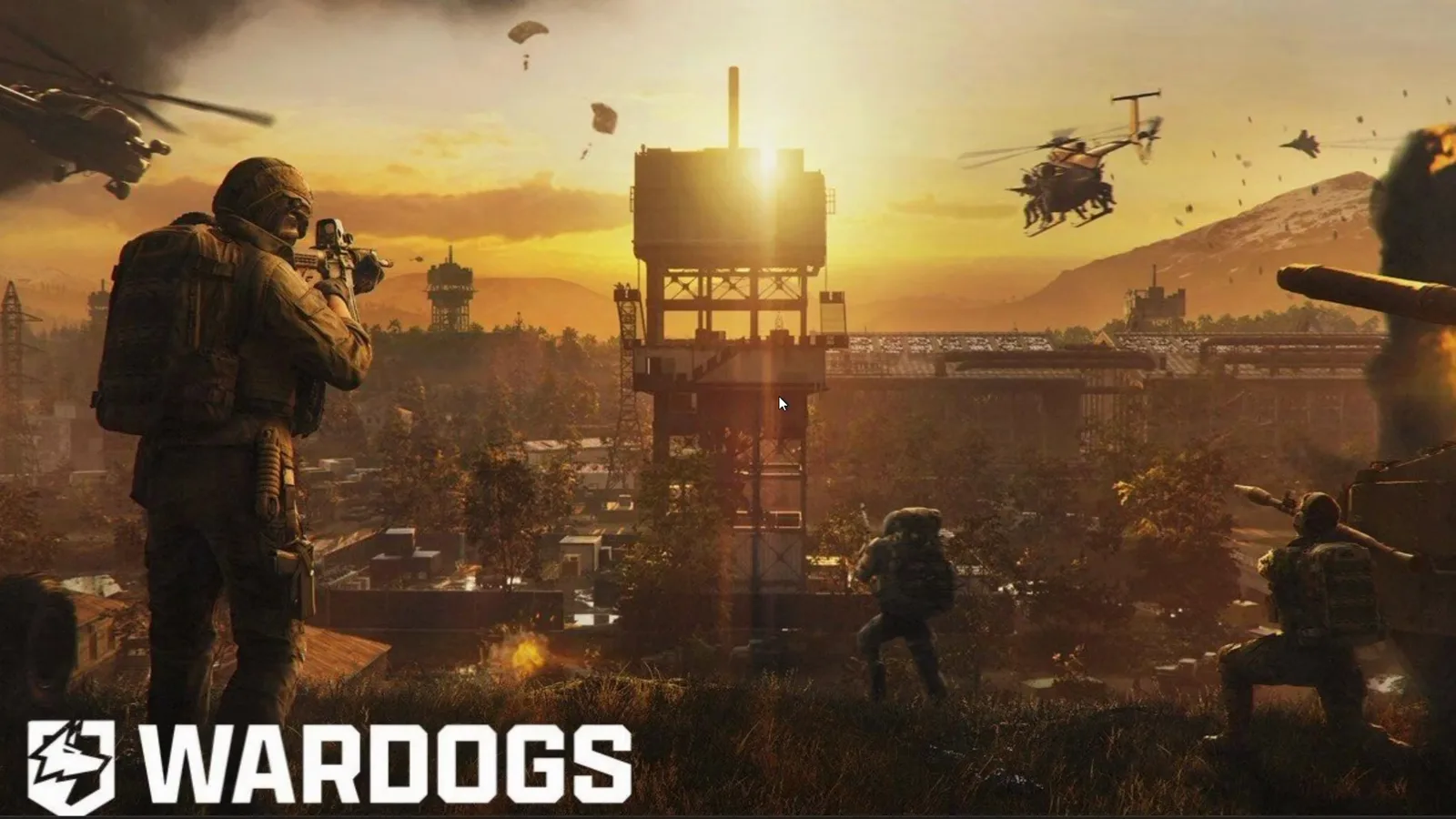 The logo stage of the launch sequence: the client sits here — and at the Fetching game data step that follows — while it rebuilds settings and pulls your session data. Frame: Web Wizard on YouTube.
Scope first — match your symptom before you touch anything:
- The game crashes or closes before any menu → Elytra anti-cheat and launch error fixes.
- A black screen or “Logging In” loop anywhere on the way to the menu → loading screen and login hang fixes.
- The menu works but you are stuck on queues, high ping or disconnects → connection and server troubleshooting.
- The server browser list is empty → server browser fixes.
What “Fetching Game Data” Actually Is
The launch sequence of an online shooter has several distinct handshakes, and “Fetching game data” is the label for the session-data stage: the client has started, reached out to the backend, and is now pulling your account, profile and session information so it can put you into a match. Two different layers have to agree at this point — the game’s backend services and the anti-cheat session — so the hang has more possible owners than it looks like:
- The backend is too busy to answer in time. During the Early Access launch window this is the most likely owner. Bulkhead publicly acknowledged launch queues and delays after a peak in the hundreds of thousands of concurrent players, and a session-data request is exactly the kind of traffic that congestion hits hardest. (Community-reported: the hang reports cluster in that window.)
- The anti-cheat session is slow or blocked. WARDOGS runs Elytra, a kernel-level anti-cheat whose service participates in session establishment. Steam community threads from the launch period tie failures at this stage to the anti-cheat refusing or stalling — including players who could not get past the loading screen at all. (Community-reported.)
- Your network path to the session servers is degraded or intercepted — VPN handshakes, packet loss, stale DNS.
- Local client state is stale — leftover processes, old config, a half-written anti-cheat folder.
Official confirmation for the family: Bulkhead’s Season 1 changelog (September 9, 2026) lists startup reliability improved, with clearer messages when something fails early and a route to recovery — an acknowledgement that early boot and session paths were fragile in Early Access, not a claim that every hang is already fixed.
First: Is It Frozen or Just Slow?
Before treating the hang as a fault, make sure it is not legitimate slow work:
- First launch after installing, patching or updating a GPU driver can sit on loading text for several minutes while the client rebuilds settings and recompiles shaders. That is recovery, not failure — the same behaviour our loading screen guide documents for shader purges.
- Do not kill and relaunch in a loop. Each forced restart throws away the data fetch in progress, and depending on how the backend counts session attempts it can cost you queue position. One patient wait beats five impatient restarts.
- Practical threshold: give a calm first attempt at least five minutes. If there is disk or network activity, let it finish. If nothing has moved and other players are playing fine, start the ladder.
One contrast helps you read the screen correctly: when the session-data fetch fails outright instead of stalling quietly, the client puts up a Game data unavailable panel with Quit Game and Retry buttons — the kind of early-failure messaging the Season 1 startup-reliability work points at. If you can see that panel, you are not in the silent hang this page treats: give Retry one press, then work the ladder below. A screen that just sits on its loading text with no dialog and no movement is the freeze this page owns.
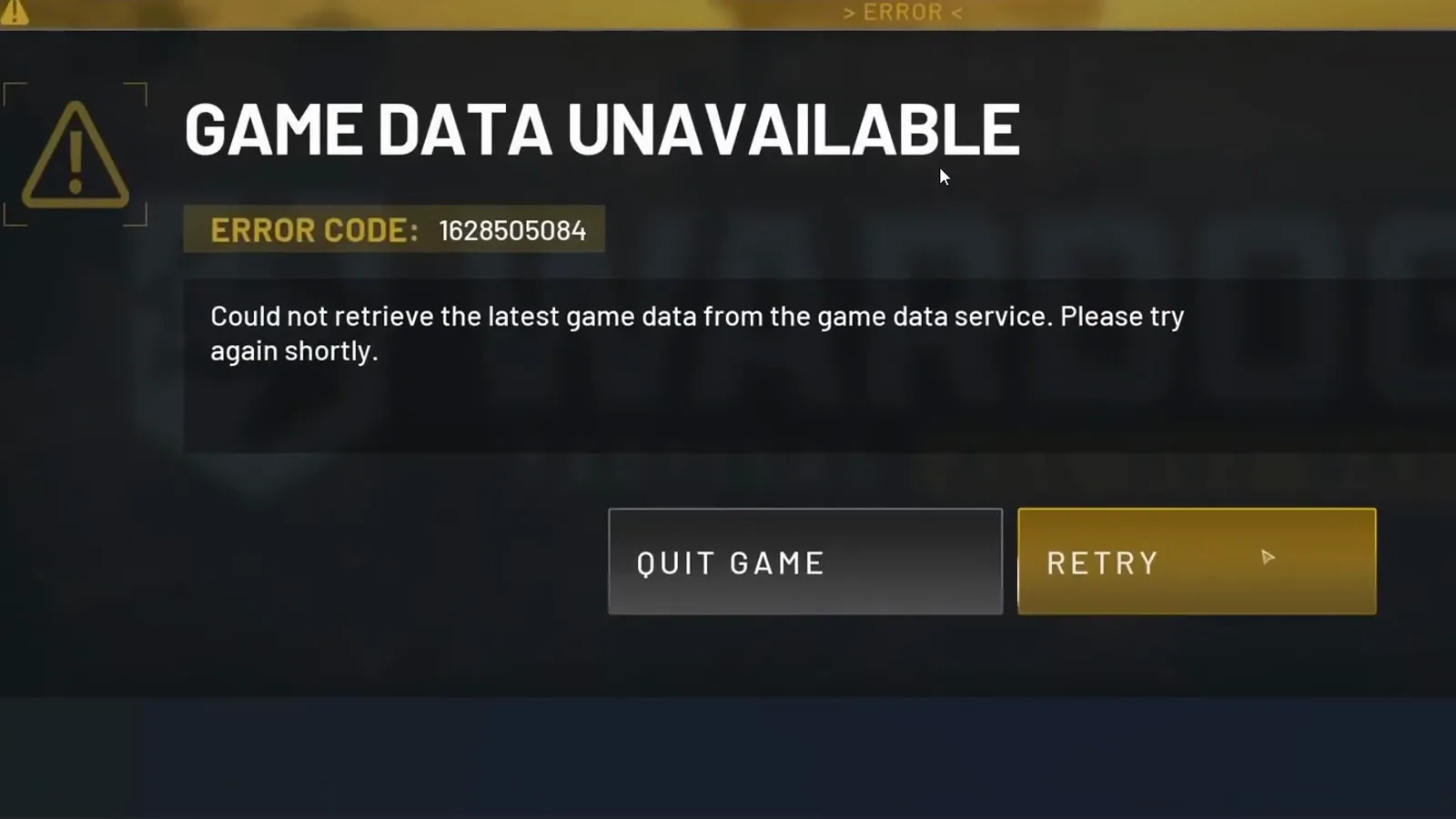 The loud cousin of the silent hang: when the session-data fetch fails outright you get this panel instead — press Retry once; a screen with no dialog and no movement is the freeze this page owns. Frame: TechVersity on YouTube.
Step 1: Check Whether the Servers Are the Problem
Session-data fetches fail in crowds. Before touching your PC, spend a minute on external evidence:
- Check the official WARDOGS and Bulkhead / Team17 channels — Steam news, social accounts, the in-game banner — for maintenance, restarts or degradation notices.
- Skim the r/WarDogs subreddit and Steam community discussions for fresh “fetching game data” or “stuck on loading” posts. During the launch window these reports arrived in waves — many players hanging at the same stage within the same minutes is the signature of a server-side squeeze, and no local fix will beat it.
- The hotspot test: if you can, try one session on a phone hotspot. If the hang follows you onto a different network, the server-side explanation gets stronger; if the hang disappears, your own path is the suspect (Step 2).
If the crowd evidence says server-side, wait it out and retry off-peak. That is not a cop-out — it is the fix that actually works for capacity problems.
Step 2: Clear the Network Path to the Session Servers
If only your machine hangs, the data exchange itself is being slowed or intercepted:
- Turn off your VPN for one test session. VPNs interfere with game handshakes and anti-cheat connections more often than any local setting — this is the single fastest thing to rule out.
- Use wired ethernet for one attempt. Wi-Fi dropouts starve exactly this kind of sustained data exchange.
- Flush your DNS (
ipconfig /flushdnsin a Command Prompt) and restart your router or modem — a stale server address or a clogged NAT table reproduces as a hang at the first big data pull. - Pause background traffic — cloud sync, launcher updates, uploads — for one test session.
If a different network fixes it, stay on the diagnosis: driver updates for your network and chipset hardware, and a look at any security software that filters traffic (next step).
Step 3: Clear Anti-Cheat Conflicts Around the Session
Elytra participates in session establishment, so anything that blocks or slows it stalls the fetch. Work these in order:
- Firewall and antivirus exceptions for the game executable and its anti-cheat components. If your antivirus quarantined an anti-cheat file, restore it and exclude the folder — the full procedure is in Fix 3 of our Elytra launch ladder.
- Close other kernel-level anti-cheats for one test launch — Riot Vanguard (Valorant) and FACEIT’s anti-cheat are the ones launch-window threads name most often, with some players reporting the hang clearing only after closing them. (Community-reported: not every setup reproduces it, but the test costs nothing.) Re-enable them afterwards.
- Reboot the PC before the next attempt. Elytra loads a driver-level service, and a reboot clears stale states that a game restart does not.
If the game now hangs earlier — a crash dialog before the menu — you have moved the fault to a different layer, and the Elytra launch error ladder is the page that owns it.
Step 4: Reset Local Session State
Two stale-state suspects survive restarts and own a real share of session hangs:
- One-session Steam Cloud test. Steam Library → WARDOGS → Properties → General → uncheck Keep game saves in Steam Cloud, launch once, then re-enable. A cloud manifest conflict can stall the data fetch at startup; the one-session test rules it out without permanent loss. (Community-reported; the same test appears in our loading hang guide.)
- Reset the config folder. Close the game and Steam, open
%LOCALAPPDATA%\Wardogs\Saved\Config, back up your keybind file first, then delete the folder’s contents (or rename itConfig_backup) and relaunch through Steam so defaults are recreated. Corrupted local config stalls clients at data stages more often than players expect. (Community-reported.)
If you previously ran a “load forever” fix from another page — shader purges, borderless window launches — keep those changes; they do not conflict with anything above.
Step 5: Verify Files, Then the Deep Community Reset
When everything above has failed:
- Verify integrity of game files (Steam → Library → right-click WARDOGS → Properties → Installed Files → Verify integrity). This is also the first step the game’s own Steam “Report a Problem” flow points at, and it re-downloads damaged anti-cheat components that break session establishment.
- The community multi-step reset, as a last rung. Launch-period Steam threads describe a more aggressive sequence for stubborn session hangs: delete the anti-cheat subfolder inside the game’s install directory, delete the game’s AppData folder, run the file verification again, relaunch, and then wait patiently through the settings rebuild. (Community-reported: we have not verified this sequence against every build, and deleting folders is more invasive than anything above — reach for it only after the ladder has failed, and expect the first launch afterwards to be slow.)
If even the deep reset does not move it while others play normally, stop here — the remaining cause lives on the account or server side, and no local step will touch it.
What We Deliberately Do Not Claim
Third-party fix sites attach specific numeric error codes to the “fetching game data” hang. We have not been able to verify those code-to-symptom mappings against any official Bulkhead or Team17 source, so we do not repeat the numbers here as if they were conclusions. The same honesty rule applies in the other direction: the studio has not published a dedicated changelog entry for this exact loading text either. What is officially on record is the Season 1 startup-reliability work named above. When an official entry lands, this page will be updated.
When to Stop and File a Ticket
If you have worked the whole ladder — server check, network path, anti-cheat conflicts, session reset, file verification, deep reset — and the hang persists while others play, open a support ticket with Team17 and include: the exact on-screen text, when it started (patch, driver update, or day one), your region, whether a second network reproduces it, and whether any error dialog appears alongside. Early Access means the developers are actively collecting exactly these reports, and the Season 1 changelog says clearer early-failure messaging is an official direction.
One last warning: “fetching game data fixer” downloads are launch-week malware bait. Nothing on this page requires running an executable from Discord or a file-sharing site — see our cheats and malware warning for the pattern.
Once You Are In
When the fetch finally completes, spend the first match cheaply: run through the best PC settings so performance is never the reason you leave a server, and the beginner guide so your first deaths do not wreck your bank. If your remaining problem is lag rather than loading, that is the connection troubleshooting ladder, not this page.
Session-stage behaviour on this page — the meaning of the loading text, anti-cheat conflicts, the multi-step reset — is community-reported from the Early Access launch window (r/WarDogs and Steam community threads). Officially confirmed: the launch-congestion acknowledgement and the Season 1 changelog startup-reliability entry (September 9, 2026). Splash and error-panel frames: Web Wizard and TechVersity on YouTube. This page will be updated as fixes are verified against live builds.
Related Articles
fixes
WARDOGS Stuck Can't Move: In-Match Movement Freeze Fix Ladder
Fix the WARDOGS movement freeze: WASD dead after leaving a helicopter, stuck walking input, downed-state lock. Dated patch record plus the one verified recovery.
guides
WARDOGS Wipe Schedule: Season 2 on 15 October — Confirmed vs Reported
WARDOGS Season 2 is officially dated 15 October 2026 — quoted here verbatim. What resets, what carries over, and when: every claim labeled by source level.
fixes
WARDOGS Voice Chat Not Working: Proximity, PTT and Mic Fix Ladder
Fix WARDOGS voice chat in order: what Season 1 officially fixed, proximity voice by design, Windows mic control, push-to-talk keys, then verify game files.
Was this helpful?
Thanks for the feedback!